p5control.gui.widgets
This module contains custom qt widgets, which help you quickly create your own gui. Screenshots are included to give you an idea of how the widgets look and what they do. These are taken on linux and therefore might look different on your operating system.
p5control.gui.widgets.datagw_plot module
This module provides a plot widget, which consists out of a pyqtgraph PlotWidget with an added
external legend. Each line is represented by a config dictionary, which is automatically generated
from the attributes of the dataset and can be edited with PlotForm
Plot config
- id (
str) Unique id for this config.
- id (
- lock (
threading.Lock) Acquire this lock when making changes to the config or objects references within.
- lock (
- plotDataItem (
pyqtgraph.PlotDataItem) the actual item which is plotted in the PlotWidget.
- plotDataItem (
- path (
str) hdf5 path of the dataset to plot
- path (
to be continued…
- class p5control.gui.widgets.datagw_plot.DataGatewayPlot(dgw, showLegend=True, showButtons=True)
Bases:
QSplitter- selectedConfig
emitted if a plot is selected, provides the config dictionary
- add_plot(path: str, *args, **kwargs)
Add new plot from the dataset at
path.- Parameters:
path (str) – hdf5 path to plot
*args – see
PlotConfigfor options which can be used.**kwargs – see
PlotConfigfor options which can be used.
- remove_plot(plotid: str)
Remove plot by its id.
- Parameters:
plotid (str) – unique id of the plot config.
- update(self) None
- update(self, arg__1: PySide6.QtCore.QRect) None
- update(self, arg__1: PySide6.QtGui.QRegion | PySide6.QtGui.QBitmap | PySide6.QtGui.QPolygon | PySide6.QtCore.QRect) None
- update(self, x: int, y: int, w: int, h: int) None
- cleanup()
- connectPlotForm(plotForm: PlotForm)
Convenience function to setup signal connections between legend, plotForm and self
- dragEnterEvent(e: QDragEnterEvent) None
Accept event if the path in mimeData text refers to a dataset.
- dropEvent(e: QDropEvent) None
Try to add plot from path
- staticMetaObject = PySide6.QtCore.QMetaObject("DataGatewayPlot" inherits "QSplitter": Methods: #35 type=Signal, signature=selectedConfig(PyObject), parameters=PyObject #36 type=Slot, signature=_on_legend_checkbox_changed(int), parameters=int #37 type=Slot, signature=_on_legend_selected(QString), parameters=QString #38 type=Slot, signature=remove_plot(QString), parameters=QString )
p5control.gui.widgets.datagw_treeview module
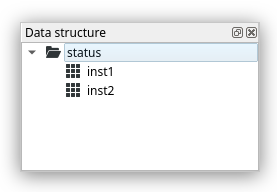
This file defines the class DataGatewayTreeView, which is a Widget which shows the directory structure of the hdf5 file behind the gateway in a customized QTreeView.
- class p5control.gui.widgets.datagw_treeview.DataGatewayTreeModel(dgw: DataGateway, parent: QObject | None = None)
Bases:
QStandardItemModel- update_children
Signal(str, list) - emitted if the children should be updated, with path and an existing list of children names provided.
- add_node(parent_path: str, name: str, is_group: bool)
Add node to the tree, by creating a corresponding QStandardItem for the node and appending it in a new row to parent_item. If node is a group, emits the
update_childrensignal for this node.- Parameters:
parent_path (str) – the parent path the node should be added to
name (str) – name of the node
is_groupe (bool) – True -> group, False -> dataset
- handle_expanded(index)
Update folder icon to expanded.
- Parameters:
index – the index of the item which is being expanded
- handle_collapsed(index)
Update folder icon to closed.
- Parameters:
index – index of the item which has been closed.
- visit_item(item)
Update children for the item and recursively for all children
- Parameters:
item (QStandardItem) –
- update_data()
Update all expanded nodes with children which might have been added to the dataserver.
- supportedDragActions() DropAction
Only allow dragging to copy the element, so it will not be removed.
- mimeData(indexes: Iterable[QModelIndex]) QMimeData
Send hdf5 path of the item as QMimeData text. Allows for the dragging of an element.
- staticMetaObject = PySide6.QtCore.QMetaObject("DataGatewayTreeModel" inherits "QStandardItemModel": Methods: #79 type=Signal, signature=update_children(QString,QVariantList), parameters=QString, QVariantList )
- class p5control.gui.widgets.datagw_treeview.DataGatewayTreeView(dgw, *args, dragEnabled=True, customContextMenu=False, **kwargs)
Bases:
QTreeView- doubleClickedDataset
Signal(str) - emitted if a dataset is double clicked, provides path to dataset
- selected
Signal(str) - emitted if the selection changes, provides path to the newly selected item
- cleanup()
Assure that the model worker thread is quit before exiting the application.
- staticMetaObject = PySide6.QtCore.QMetaObject("DataGatewayTreeView" inherits "QTreeView": Methods: #104 type=Signal, signature=doubleClickedDataset(QString), parameters=QString #105 type=Signal, signature=selected(QString), parameters=QString #106 type=Slot, signature=_on_custom_context_menu(QPoint), parameters=QPoint #107 type=Slot, signature=_double_click(QModelIndex), parameters=QModelIndex #108 type=Slot, signature=_selection_changed(QItemSelection,QItemSelection), parameters=QItemSelection, QItemSelection )
- update_data()
Update the model by pulling newly added groups and datasets from the data server.
p5control.gui.widgets.legend module
This module defines the model and view for a legend based on QListView.
- p5control.gui.widgets.legend.QPixmapFromItem(item: QGraphicsItem) QPixmap
Paint QGraphicsItem to QPixmap, can e.g. be used to create an QIcon from the Item, as in the legend.
- Parameters:
item (QGraphicsItem) – item which implements
paintmethod
- class p5control.gui.widgets.legend.LegendModel
Bases:
QStandardItemModel- addItem(config)
Add item to legend, specified with config.
- Parameters:
config (dict) – plot config dictionary
- removeItem(id: str)
Remove config by its id.
- Parameters:
id (str) – config id
- updateItem(id: str)
Update the item by its id. This regenerates the icon and resets the name, updating the shown widget if the config has been modified, e.g. changing plot color.
- Parameters:
id (str) – config id
- mimeData(indexes: Iterable[QModelIndex]) QMimeData
Send hdf5 path of the item as QMimeData text.
- staticMetaObject = PySide6.QtCore.QMetaObject("LegendModel" inherits "QStandardItemModel": Methods: #79 type=Slot, signature=removeItem(QString), parameters=QString )
- class p5control.gui.widgets.legend.LegendView(dragEnabled=True, customContextMenu=True)
Bases:
QListView- deleteRequested
Signal(str) - emitted if an element should be remove from the plot, provides id
- selected
Signal(str) - emitted if the selection changes, provides the id or “” if there are no longer any elements
- staticMetaObject = PySide6.QtCore.QMetaObject("LegendView" inherits "QListView": Methods: #83 type=Signal, signature=deleteRequested(QString), parameters=QString #84 type=Signal, signature=selected(QString), parameters=QString #85 type=Slot, signature=_onCustomContextMenu(QPoint), parameters=QPoint #86 type=Slot, signature=_selectionChanged(QItemSelection,QItemSelection), parameters=QItemSelection, QItemSelection )
p5control.gui.widgets.monitorvaluebox module
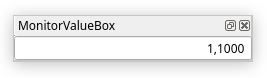
- class p5control.gui.widgets.monitorvaluebox.MonitorValueBox(dgw: DataGateway, path: str, selector: str, *args, **kwargs)
Bases:
QDoubleSpinBox- __init__(dgw: DataGateway, path: str, selector: str, *args, **kwargs)
- Parameters:
dgw (DataGateway) – gateway to the dataserver
path (str) – dataset path in the hdf5 file
selector (str) – which column to use
- cleanup()
Remove callback.
- staticMetaObject = PySide6.QtCore.QMetaObject("MonitorValueBox" inherits "QDoubleSpinBox": )
p5control.gui.widgets.editvaluebox module
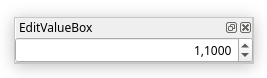
- class p5control.gui.widgets.editvaluebox.EditValueBox(dgw: DataGateway, path: str, selector: str, setter, *args, **kwargs)
Bases:
MonitorValueBox- onEditingFinished()
Call self.setter with new value if it has changed.
- staticMetaObject = PySide6.QtCore.QMetaObject("EditValueBox" inherits "MonitorValueBox": Methods: #44 type=Slot, signature=onEditingFinished() )
p5control.gui.widgets.valueboxform module

- class p5control.gui.widgets.valueboxform.ValueBoxForm(dgw: DataGateway, rows=None, **kwargs)
Bases:
QWidget- add_row(row)
Add a row to the layout, row is given by
row = (label: str, path: str, selector: Union[str, slice], Optional[setter: func])
- staticMetaObject = PySide6.QtCore.QMetaObject("ValueBoxForm" inherits "QWidget": )
p5control.gui.widgets.measurementcontrol module
- class p5control.gui.widgets.measurementcontrol.StatusIndicator
Bases:
QToolButton- set_state(state: bool)
Set the state.
- Parameters:
state (bool) – True -> green, False -> red
- staticMetaObject = PySide6.QtCore.QMetaObject("StatusIndicator" inherits "QToolButton": )
- class p5control.gui.widgets.measurementcontrol.PlayPauseButton(parent: QWidget | None = None)
Bases:
QToolButton- changed
Signal(bool) - emits
self.playingif it changes
- set_playing(playing: bool)
Change playing parameter and upate icon
- Parameters:
playing (bool) – state to set the button in
- staticMetaObject = PySide6.QtCore.QMetaObject("PlayPauseButton" inherits "QToolButton": Methods: #53 type=Signal, signature=changed(bool), parameters=bool )
- class p5control.gui.widgets.measurementcontrol.MeasurementControl(gw: InstrumentGateway, show_selector=True, parent: QWidget | None = None)
Bases:
QWidget- gw_update()
Update the widget by requesting the Measurement object from the instrument server and reading its state into this widget.
- staticMetaObject = PySide6.QtCore.QMetaObject("MeasurementControl" inherits "QWidget": Methods: #34 type=Slot, signature=_handle_btn_change(bool), parameters=bool )